The Useful Countdown app icon: a white hourglass on a coral background
iPhone & Android

Count down to
anything that matters

Useful Countdown turns the dates you're waiting for โ€” holidays, birthdays, exams, the end of a long shift โ€” into colourful blocks you'll actually enjoy looking at. No subscription, no adverts, no trackers.

What it does

Everything below is in the app from day one. Nothing is behind a paywall.

๐Ÿ”ข

Any unit, any combination

Pick a single unit for a running total โ€” โ€œ847 daysโ€ โ€” or several for a breakdown: โ€œ2 years, 3 months, 5 daysโ€. Years and months are counted over the calendar, so three months from 30 November is 28 February, not ninety days later.

๐ŸŽจ

Colourful blocks

Twelve gradient palettes, an emoji icon of your choosing, and a photo from your camera roll behind the block. Three display styles: number blocks, a progress ring, or a progress bar.

๐Ÿ””

Reminders you can snooze

Schedule alerts from the moment itself up to a week before. Every reminder carries Open, Snooze 10 minutes and Got it buttons, and alarms cut through Focus and Do Not Disturb.

๐Ÿ”

Repeats that look after themselves

Daily, weekly, monthly or yearly. Birthdays and anniversaries roll forward on their own the moment they pass โ€” set them once and forget about them.

๐Ÿ‘จโ€๐Ÿ‘ฉโ€๐Ÿ‘ง

Share with family

Create a group, share the six-character invite code, and everyone who joins sees the same countdowns and can react to them with emoji. Reminders stay private โ€” on a shared countdown, everyone sets their own.

๐Ÿ“ด

Works signed out, works offline

Without an account your countdowns live on your device and everything except sharing works. Sign in later and the app offers to copy them across. The last synced copy is cached, so the list still renders with no signal.
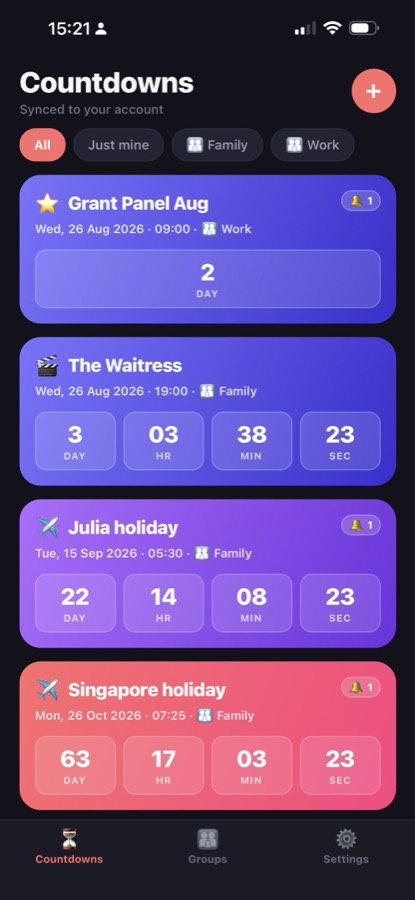
A look inside

Screens from the app on iPhone.

A list of countdowns as colourful gradient blocks, each showing days, hours, minutes and seconds
Your countdowns, at a glance
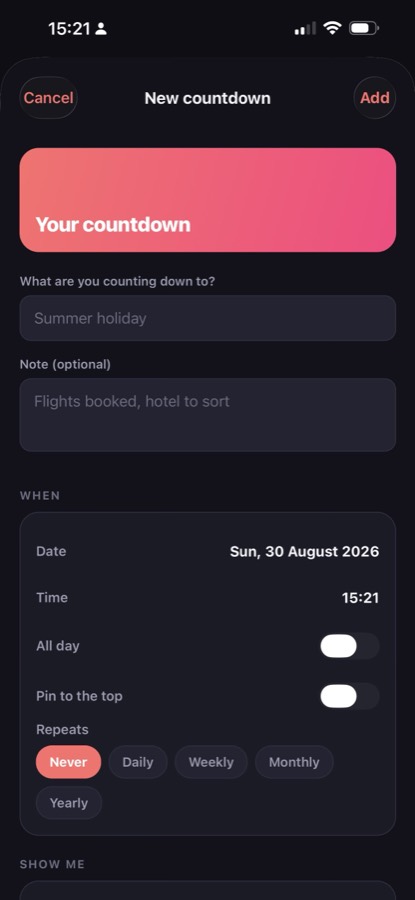
The new-countdown screen, with a title, a note, a date and time, and repeat options
Add one in seconds
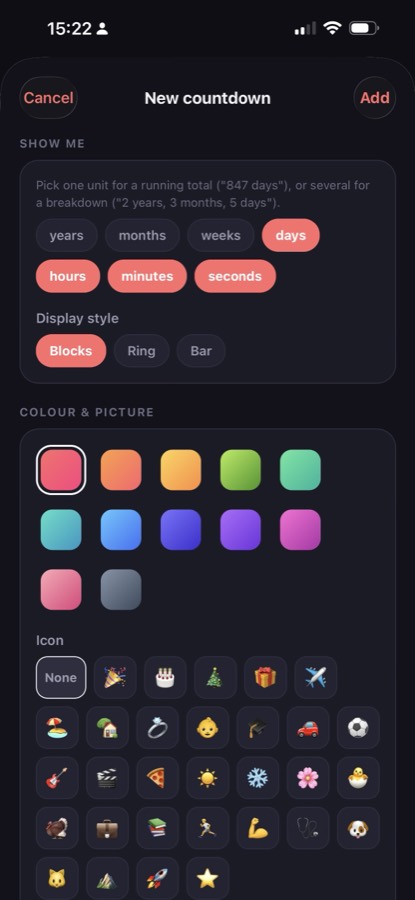
Choosing which units to show, a display style of blocks, ring or bar, and a colour and emoji icon
Make it yours
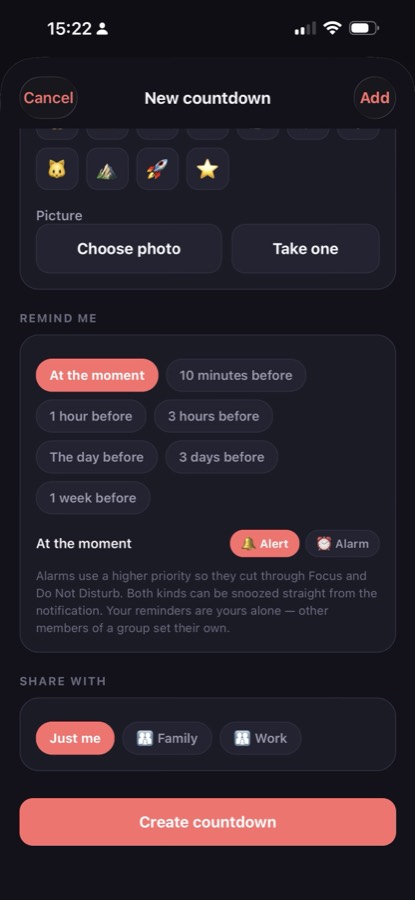
Reminder options from at the moment to a week before, as an alert or an alarm, and who to share the countdown with
Reminders and sharing

No subscription, no adverts, no trackers

Useful Countdown carries no advertising, no analytics and no third-party trackers. Nothing you put in it is sold, shared or used to profile you, and you can use the whole app without ever creating an account.

An account only exists so that countdowns can be shared with a group and survive changing phone. What that stores โ€” and what it doesn't โ€” is set out in the privacy policy.

Support

Questions, bugs, feature ideas or a request to delete your account โ€” they all reach a person.

โœ‰๏ธ

Email us

Write to tony@drof.co.uk and we'll get back to you. If you're reporting a problem, telling us your phone and what you were doing at the time saves a round trip.

๐Ÿ“

Use the contact form

Prefer a form? The one on our home page goes to the same place.

๐Ÿ—‘๏ธ

Delete your account

You can delete your account from within the app, under Settings. If you'd rather we did it, email us and we'll erase your account and everything attached to it within 30 days. Full details are on the account deletion page.